How to download Instagram photos and videos on Android using GetMeInsta.com
GetMeInsta.com saves photos, videos, Reels, stories and profile pictures from Instagram to any Android phone or tablet - in three steps, without an app.
Why you need a downloader on Android
Instagram still has no save button: photos, videos, Reels and stories live inside the app and cannot be exported to your gallery. The only way to keep a copy is a third-party downloader.
GetMeInsta.com is a website that saves all of those formats - videos, photos, Reels, stories and profile pictures - from public Instagram accounts to your Android device in the quality Instagram serves them: HD, 1080p, 2K or 4K.
The steps below take about 30 seconds and work in Chrome, Firefox, Samsung Internet, Edge or Brave.
Step 1: copy the Instagram link
Open the Instagram app on your Android phone or tablet, go to the post that holds the photo or video you want, tap the share icon and choose Copy link.
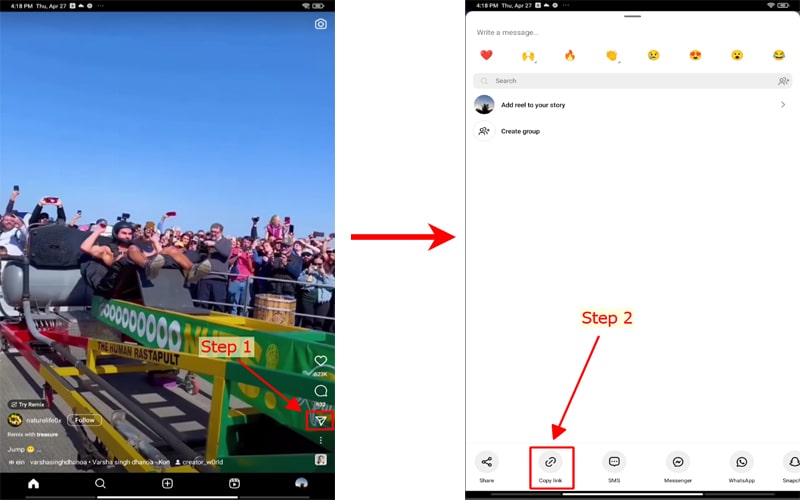
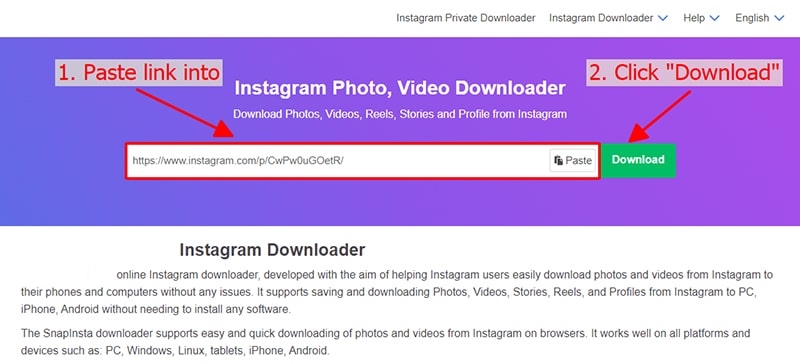
Step 2: paste the link into the input box
Open GetMeInsta.com in your browser, paste the copied link into the box at the top of the page and press Download.
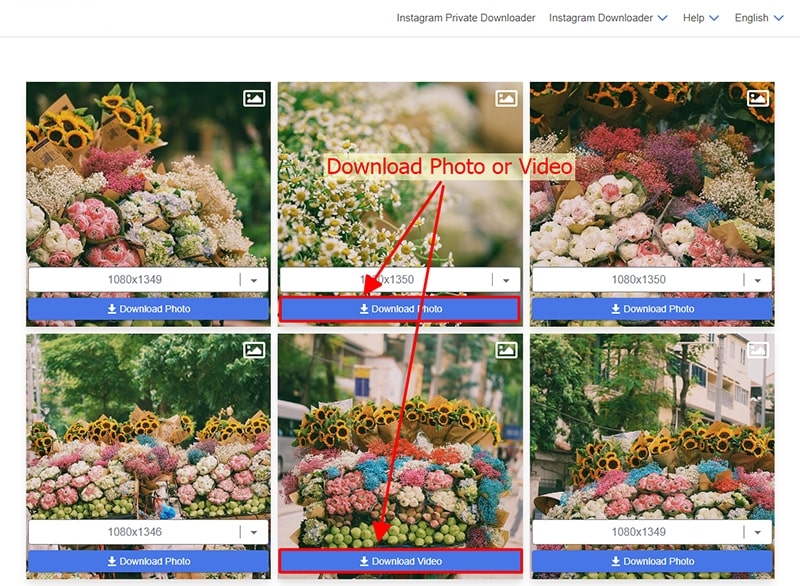
Step 3: save the photo or video to your device
The photo or video appears as a card - tap Download and the file is saved to your device right away.
To find it later, open the three-dot menu next to the address bar and choose Downloads, or use the Files app - everything you saved is listed there.
Notes and troubleshooting
- Only public accounts can be resolved - private posts are never bypassed
- A link stops working after a few hours: copy a fresh one and try again
- File opens instead of saving? Long-press the button and pick Download link
- Chrome may ask to allow multiple downloads for carousel posts - accept it
- Screenshots above are placeholders until you add your own captures
Still stuck? Write to support [at] getmeinsta [dot] com or use the contact page.